Some of the Under Utilized Features in Estimate Rocket
There are many core features in Estimate Rocket that are not utilized to their fullest and some of our customers are shocked to find out they even exist.
Calculated Profit Margins
The items in Estimate Rocket hold a built-in calculation of profit margin.
On a labor item the difference between the price (what the customer pays) and the cost (what you pay) determines the profit margin for that labor. The same holds true for material and generic line items. If you have been using Estimate Rocket for a long time you may only have generic line items setup but you can always set a labor minutes per unit and a material cost on those generic line items.

Overview of using profitability in Estimate Rocket
Real Time Profitability
Adding expenses to projects in the form of employee punched hours, spend material dollars or payments to a sub will all register against the estimated margin on a project to give you a real-time look at the progress of the project.

Overview of using profitability in Estimate Rocket
Employee Time Tracking
To get the most out of the real time profitability in Estimate Rocket one of the key additions is having your employees punching against the work orders. As most projects are upwards of 80% labor dollars tracking the worked time is going to be critical for doing this analysis. The geo-tracking allows you to check the employee was within proximity to the job work site.
Employee time tracking can also be used to offer a bonus system to employees or subs if work is completed in less than the budgeted amount of time.
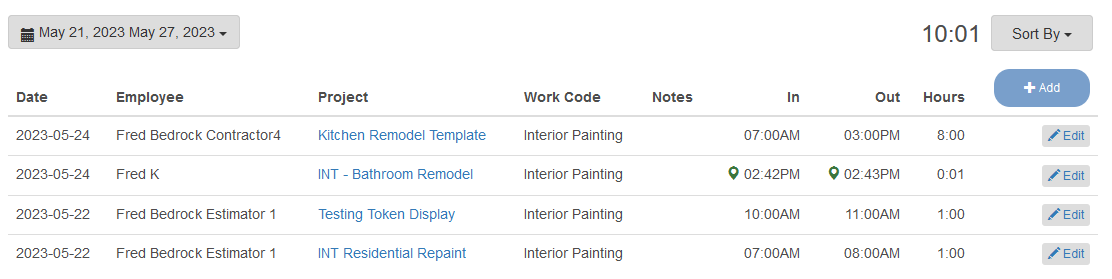
Overview of the Time Tracking setup and use
Offering Optional Groups
Offering optional groups to the client will allow you a simple way to display the options to the client for them to ultimately accept or reject. These can be an up sell to a better quality of paint or to isolate the price for painting individual rooms to allow the client a fluid choice to accept or reject that option.
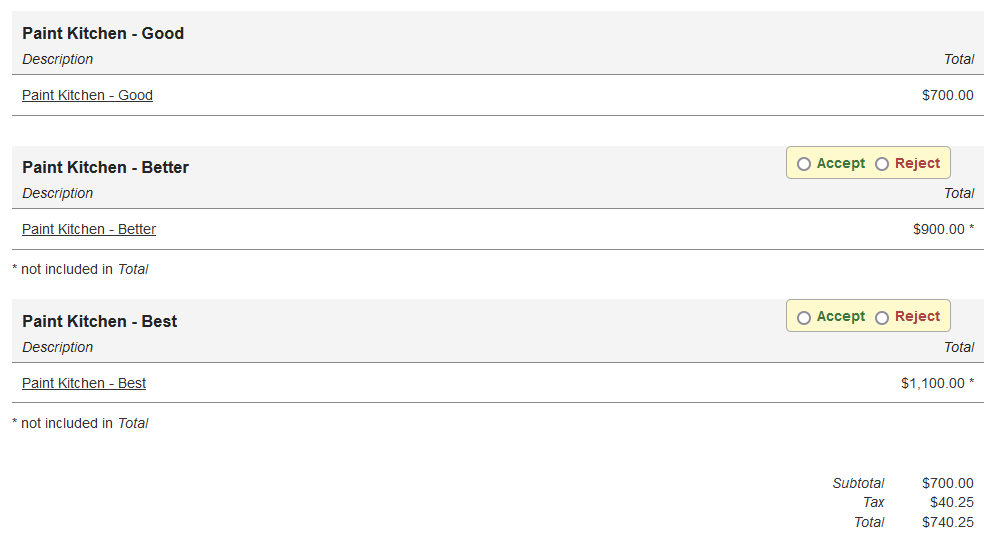
Overview of offering optional groups on a proposal
Managing Change Orders
Change orders are recorded in Estimate Rocket like any other scope of work. The change order concept allows you to record that scope of work and get a client signature on the changed scope of work . Intended to allow the user the simple ability to track changes but powerful enough to show proof of signature and client agreement to additional work.
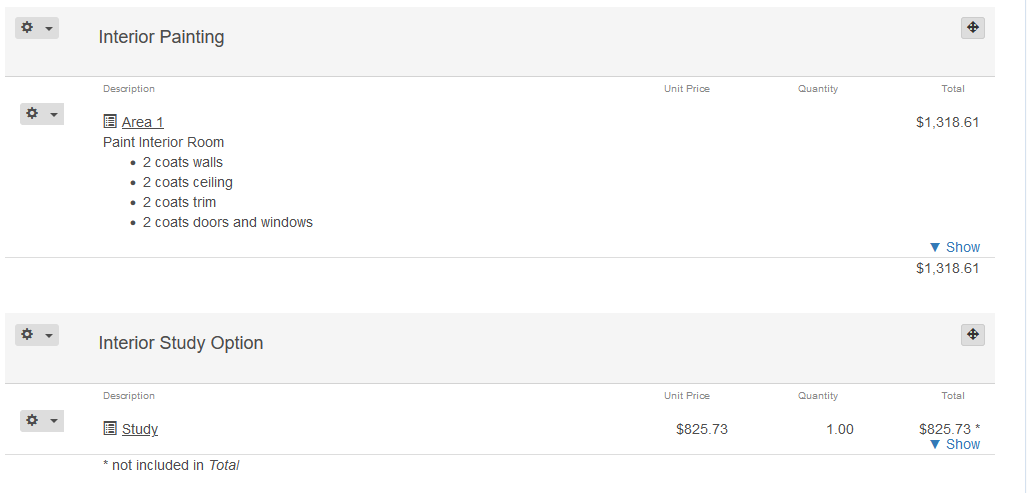
Isolate the new scope of work into a new ‘Group’ in the project.
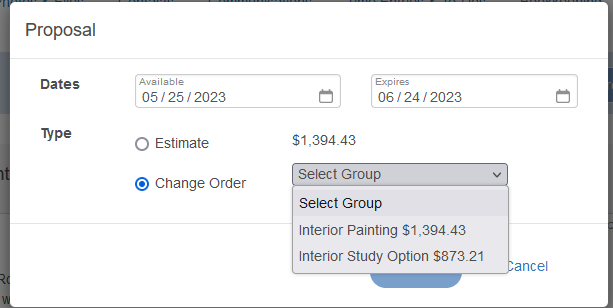
Then present the change order to the client for signature for the additional amount.
Overview of tracking change orders on a project